
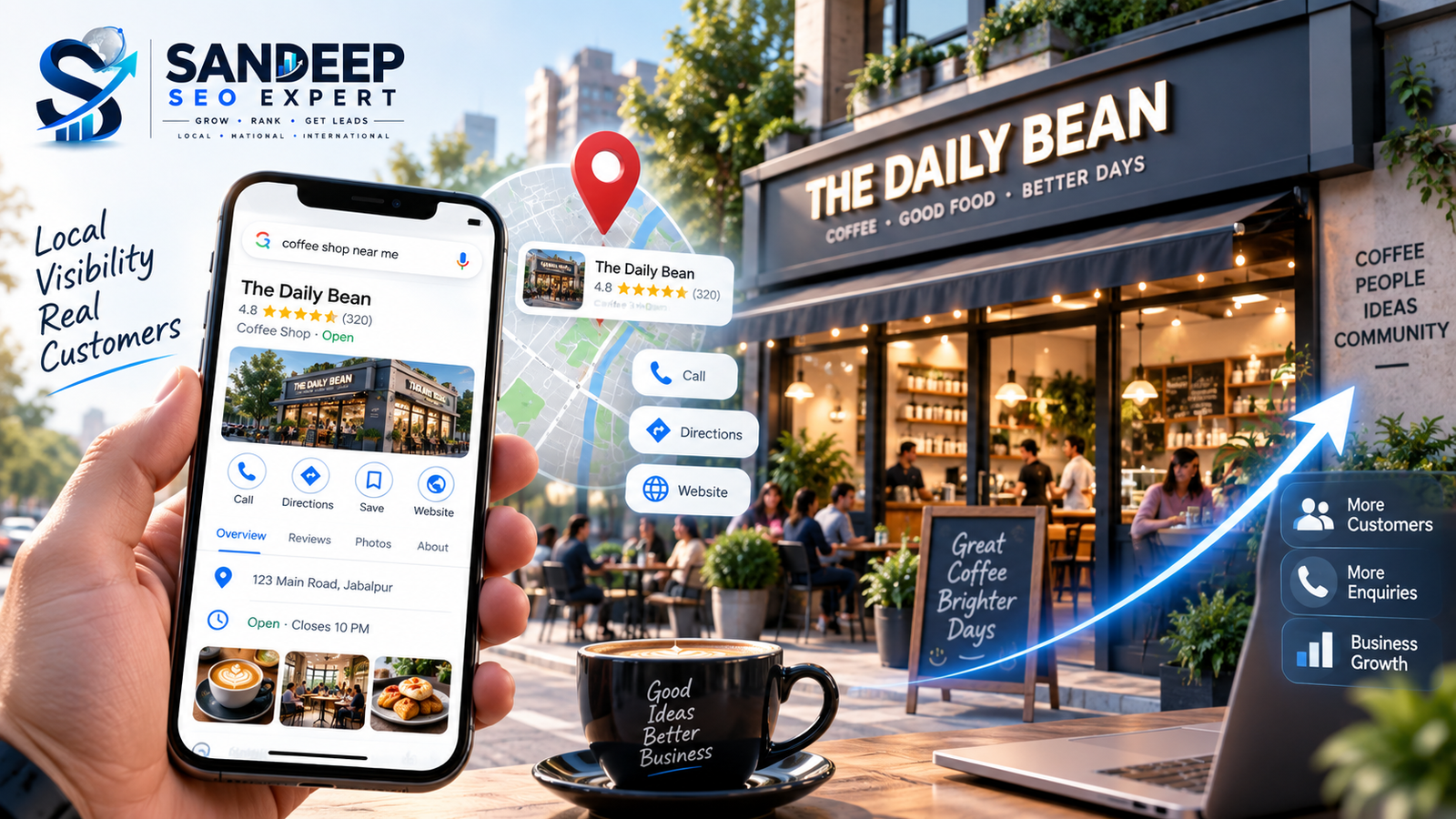
A well-optimized Google Business Profile should be accurate, complete, eligible, properly categorized, genuinely representative of the business and actively maintained.
For 2026, the core checklist is:
Confirm the business is eligible.
Claim and verify the profile.
Use the real-world business name.
Choose the most accurate primary category.
Add relevant additional categories where appropriate.
Keep address or service area accurate.
Add the correct phone number and website.
Maintain accurate regular and special hours.
Write a useful business description.
Add relevant services and service details.
Complete useful business attributes.
Upload high-quality, authentic photos and videos.
Build a genuine review process.
Respond to reviews.
Publish useful profile updates where appropriate.
Keep business information consistent.
Monitor Google-generated changes.
Protect ownership and manager access.
Monitor Business Profile performance.
Use the data to improve the profile and broader Local SEO strategy.
Google itself recommends complete and accurate business information, review responses, photos/videos and relevant profile details as part of improving local visibility.
The important point is that optimization does not mean stuffing keywords into every field.
It means making the profile as accurate, useful and relevant as possible.
What Is Google Business Profile Optimization?
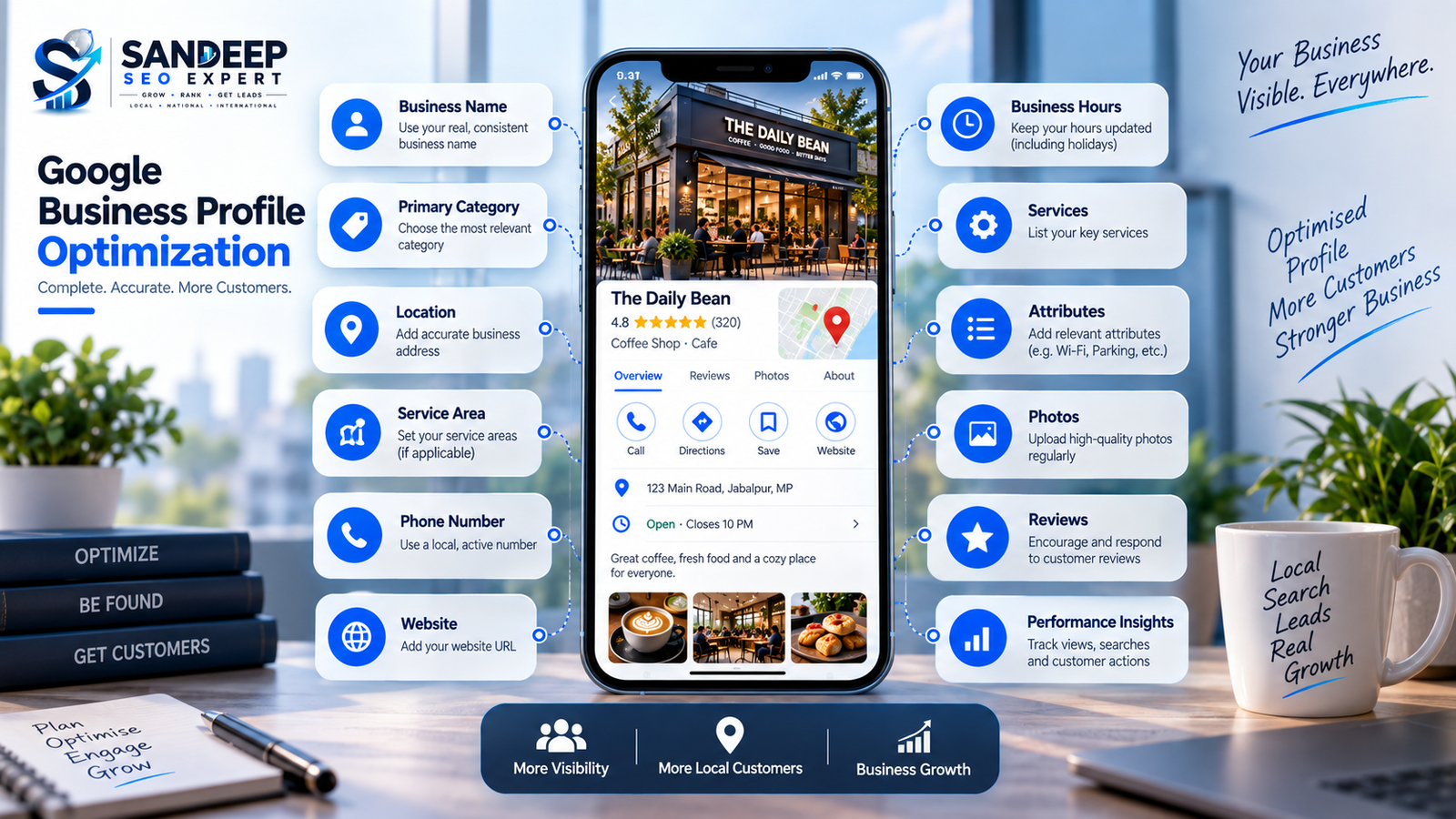
Google Business Profile optimization is the process of improving and maintaining your Business Profile so that customers can accurately understand your business when they find it on Google Search and Maps.
A Business Profile can show important information such as:
Business name
Category
Location
Service area
Phone number
Website
Hours
Services
Photos
Reviews
Business attributes
Posts and updates
Customer actions
Google describes a Business Profile as a local storefront on Google Search and Maps for eligible businesses that interact with customers in person.
That makes the profile an important part of a local customer's decision-making process.
Someone might discover your business through a search such as:
"dentist near me"
or:
"SEO company in Jabalpur"
or:
"best interior designer near me"
The profile needs to answer the customer's basic questions quickly:
Who are you? What do you offer? Where do you operate? When are you available? Can I trust you? How can I contact you?
Before You Optimize: Check Whether Your Business Is Eligible
This step is easy to overlook.
Not every online business is eligible for a Google Business Profile.
Google's current eligibility guidance says a business generally needs to make in-person contact with customers during its stated hours, with specific exceptions. Eligible businesses can include storefront businesses and businesses that travel to customers in a local area.
Checklist
Your business is eligible for a Business Profile.
Your business actually interacts with customers in person.
Your location or service area is genuine.
You are authorized to represent the business.
You are not creating unnecessary duplicate profiles.
Your business information reflects reality.
If the business does not meet Google's eligibility requirements, optimization is not the solution.
Eligibility comes first.
1. Claim and Verify Your Business Profile
An unclaimed or unverified profile creates unnecessary problems.
Once a business is added or claimed and verified, the owner can manage how the business information appears across Google Search and Maps.
Checklist
Business Profile has been claimed.
Verification is complete.
Correct Google Account has ownership.
Business owner retains access.
Authorized managers have appropriate access.
Old or unknown users are reviewed.
Ownership is not controlled exclusively by an outside SEO provider.
Google specifically recommends that businesses retain ownership and that authorized representatives use their own Google Accounts rather than sharing passwords.
This is both an SEO and business-security issue.
2. Use Your Real Business Name
This is one of the most important areas to get right.
Your Business Profile name should reflect how the business is represented in the real world.
For example, if the real business name is:
ABC Dental Clinic
don't turn the profile name into:
Best Dentist in Jabalpur | ABC Dental Clinic | Dental Implants & Root Canal
just because those keywords appear in local searches.
Google's guidelines say the business name should match the real-world name used on signage, stationery and other branding.
Checklist
Business name matches real-world branding.
No unnecessary city keywords.
No service keyword stuffing.
No promotional phrases.
No fake descriptors.
Name is consistent across important business assets.
Real-world accuracy comes before keyword optimization.
3. Choose the Right Primary Category
Your primary category tells Google what type of business you are.
This is a major decision because the category should represent the business itself, not simply one service, product or feature.
Google's guidance says to choose the category that best describes what the business is, rather than what it has or offers. Additional categories can be used where appropriate.
Checklist
Primary category accurately describes the business.
Category is as specific as reasonably possible.
Additional categories are relevant.
Categories are not added simply to target more keywords.
Category choices reflect actual business operations.
Example
A restaurant that offers delivery should not select a category based only on the delivery service.
The category should represent the actual business.
4. Review Your Additional Categories
Additional categories can help describe different aspects of a legitimate business.
But more categories do not automatically mean better optimization.
Ask:
Does this category genuinely describe part of my business?
If the answer is no, don't add it.
Checklist
Every additional category is relevant.
No unrelated categories.
No categories selected purely for search volume.
Categories still reflect the current business.
A smaller number of accurate categories is better than a long list of irrelevant ones.
5. Get Your Address and Pin Location Right
If customers visit your physical location, your address should be accurate.
If the business does not serve customers at its address, Google's service-area guidance says the address should be removed from the profile and the service area should be used instead.
Checklist
Address is real and accurate.
Business can receive customers there if listed as a storefront.
Map pin is positioned correctly.
Address matches the actual business location.
No virtual-office address used improperly.
Service-area business does not display an address when customers aren't served there.
Accurate location information helps both customers and Google's local systems understand where the business operates.
6. Set Your Service Area Correctly
Service-area businesses need to be especially careful here.
Google currently allows service areas to be specified using cities, postal codes or other defined areas, rather than a simple radius setting. A business can specify up to 20 service areas. Google also advises businesses to be specific and accurate.
Checklist
Every selected service area is genuinely served.
No random cities added for rankings.
Service areas reflect actual operations.
Address is hidden if customers aren't served there.
Hybrid businesses correctly show both location and service area where applicable.
Don't use service areas as a keyword list.
They should represent where the business can actually serve customers.
7. Add the Correct Phone Number
Your Business Profile should use the authoritative business phone number.
Google's third-party guidelines specifically state that the phone number and website associated with the profile should be the single authoritative business contact information and should be verifiable by the business owner.
Checklist
Primary phone number is correct.
Number reaches the business.
No misleading tracking setup.
Phone information is consistent with the business.
Additional numbers are used only when appropriate.
8. Add the Correct Website
The website field should lead customers to the actual authoritative website for the business.
Checklist
Website URL is correct.
Website belongs to the business.
Page loads properly.
Website represents the same business.
Website and Business Profile information are consistent.
No unrelated landing page.
Your Google Business Profile and website should reinforce each other.
The profile helps customers discover the business.
The website can provide deeper information about its services, products, expertise and contact options.
Is Your Google Business Profile Fully Optimized?
Missing information, incorrect categories, weak local signals or inconsistent business details can limit the effectiveness of your local search presence.
Get Your Local SEO Reviewed →9. Keep Your Business Hours Accurate
Customers use hours to decide whether they can contact or visit a business.
Google allows businesses to set regular hours as well as special hours for temporary changes such as holidays and events.
Checklist
Regular hours are correct.
Opening and closing times are accurate.
Holiday hours are updated.
Special event hours are updated.
Temporary closures are reflected.
Different service hours are added where relevant.
An incorrect "Open" status can create a poor customer experience even if everything else on the profile is optimized.
10. Write a Useful Business Description
Your business description should help a potential customer understand:
What your business does
What products or services you offer
Who you serve
What makes the business relevant
Where appropriate, what makes you different
Google says the description helps potential customers learn what the business does and what makes it unique.
Avoid:
Keyword stuffing
Fake claims
Excessive promotional language
Unrelated keywords
Repeating the same phrase unnaturally
Unsupported "best" or "#1" claims
Better approach
Write naturally for a customer first.
For example:
A professional SEO company helping businesses improve organic visibility through technical SEO, Local SEO, content strategy and search-focused website optimization.
That is more useful than:
Best SEO Company Best SEO Expert SEO Services SEO Agency SEO Consultant SEO Company India...
The second version looks like keyword stuffing.
11. Add Your Services
For service businesses, the Services section deserves careful attention.
Google allows eligible businesses to showcase services directly on their Business Profile, including service categories, descriptions and, where applicable, prices.
Checklist
Important services are listed.
Services match the actual business.
Services are organized logically.
Service descriptions are useful.
Service names are clear.
No phone numbers in service names.
No personal information.
No gibberish or promotional spam.
Prices are accurate if displayed.
For a local service business, this section can help customers understand what you actually provide before they contact you.
12. Complete Relevant Business Attributes
Attributes can provide additional information that matters to customers.
Depending on the business category, attributes can include things such as:
Accessibility
Payment options
Wi-Fi
Outdoor seating
Amenities
Other business-specific features
Google notes that attributes can appear on Search, Maps and other Google platforms, and some attributes may help a business appear in searches for places with those attributes.
Checklist
Relevant attributes are completed.
Information is accurate.
Outdated attributes are corrected.
Attributes reflect the actual customer experience.
Don't select an attribute simply because you think it might create another ranking opportunity.
Accuracy matters.
13. Add High-Quality Business Photos
Photos are one of the most visible parts of a Business Profile.
Google recommends clear, well-lit photos that represent reality without significant alterations or excessive filters. Google currently recommends 720 × 720 pixels for photos, with a minimum of 250 × 250 pixels; supported photo formats include JPG and PNG.
Useful photo types can include:
Exterior
Interior
Team
Products
Services
Work examples
Facilities
Before/after where genuinely appropriate
Brand or logo imagery
Checklist
Profile has a good logo.
Cover photo represents the business well.
Exterior photo helps customers recognize the location.
Interior photos show the real environment.
Products/services are represented accurately.
Images are sharp and well lit.
Photos are authentic.
No excessive filters.
No misleading visual edits.
Google also notes that a selected cover photo is not guaranteed to appear as the first image shown to customers.
14. Add Videos Where They Actually Help
Videos can help customers understand the business, products or services.
Google currently allows Business Profile videos up to 30 seconds, with a file size up to 75 MB and resolution of 720p or higher.
Good video ideas
Walkthrough of the business
Service demonstration
Product demonstration
Team introduction
Location tour
Work process
Customer-facing facilities
The goal is useful visual information, not uploading random clips just to increase media volume.
15. Build Genuine Customer Reviews
Reviews are important for both customers and local reputation.
Google states that reviews can help a business stand out, and positive ratings and review quantity can contribute to local ranking.
But there is an important rule:
Reviews must represent genuine customer experiences.
Google explicitly prohibits offering incentives such as free or discounted products/services in exchange for reviews, changing reviews or removing negative reviews.
Checklist
Ask genuine customers for honest reviews.
Make the review process easy.
Use Google's review link or QR code where appropriate.
Never buy reviews.
Never create fake reviews.
Never offer incentives for positive reviews.
Never ask customers to remove negative reviews in exchange for something.
Quality reputation starts with real customer experience.
16. Respond to Reviews Properly
Getting reviews is only one part of reputation management.
Businesses should also pay attention to review responses.
Google recommends responding to reviews because it shows customers that their feedback matters.
Good review responses should be:
Relevant
Professional
Human
Specific
Helpful
Appropriate to the review
Avoid copying exactly the same response to every customer.
And don't turn every review response into an advertisement.
17. Keep Profile Information Consistent
Your Business Profile should not contradict your website or other important business information.
Check:
Business name
Address
Phone number
Website
Services
Business hours
Location
Business description
Google can also update Business Profile information using information from other sources, including user reports and licensed content.
Checklist
Website information matches GBP.
Important local listings are consistent.
Business name is consistent.
Phone number is consistent.
Address is consistent.
Hours are consistent.
Service information is broadly aligned.
18. Check for Google-Generated Updates
One important part of ongoing GBP management is monitoring changes that you didn't personally make.
Google can update Business Profile information based on information from other sources.
Checklist
Review the profile regularly.
Check for unexpected changes.
Correct inaccurate information.
Monitor important business details.
Don't assume the profile stays unchanged forever.
This is particularly important for businesses whose phone numbers, hours, services or locations change.
19. Publish Useful Business Updates
Google Business Profile posts can be used to share:
Announcements
Offers
Events
Business updates
News
Photos
Videos
Google says posts can appear in areas such as the Updates or Overview sections of a Business Profile and can help customers understand current business information.
Good post topics
New service
Seasonal announcement
New product
Event
Business update
Useful customer information
Offer with clear terms
New location or service availability
Don't publish low-value posts simply because you feel you need to "post every day."
The content should have a purpose.
20. Use Your Profile Strength Indicator
Google now provides a Profile Strength indicator for verified Business Profiles.
It can help identify missing information such as:
Business description
Hours
Contact information
Photos
Videos
Posts
Google also says the tool can help keep information consistent across Google products and services.
Checklist
Profile is verified.
Profile Strength has been checked.
Missing information has been reviewed.
Recommended profile improvements are considered.
Information is still accurate after updates.
Remember:
Profile Strength is a completeness aid, not a guarantee of top local rankings.
21. Connect Your Business Profile With Your Local SEO Strategy
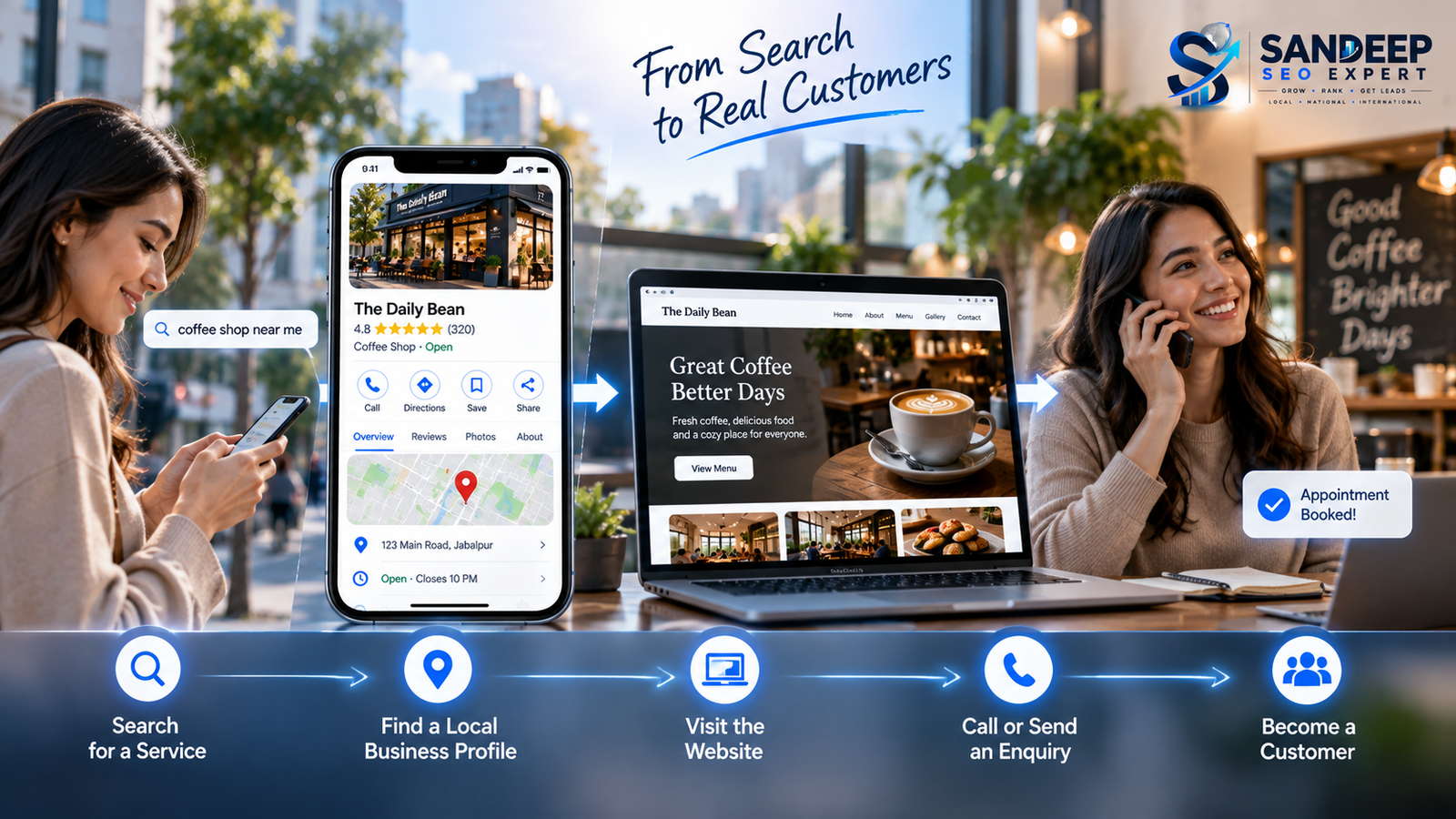
Google Business Profile optimization should not exist in isolation.
Your website can support local visibility through:
Strong service pages
Location pages where genuinely useful
Local content
Clear business information
Internal linking
Technical SEO
Relevant local mentions
Conversion-focused pages
Google says local results are mainly based on relevance, distance and prominence. Prominence can include signals such as links and reviews.
That means simply filling every field in your profile is not the entire Local SEO strategy.
Your broader web presence matters too.
22. Measure Business Profile Performance
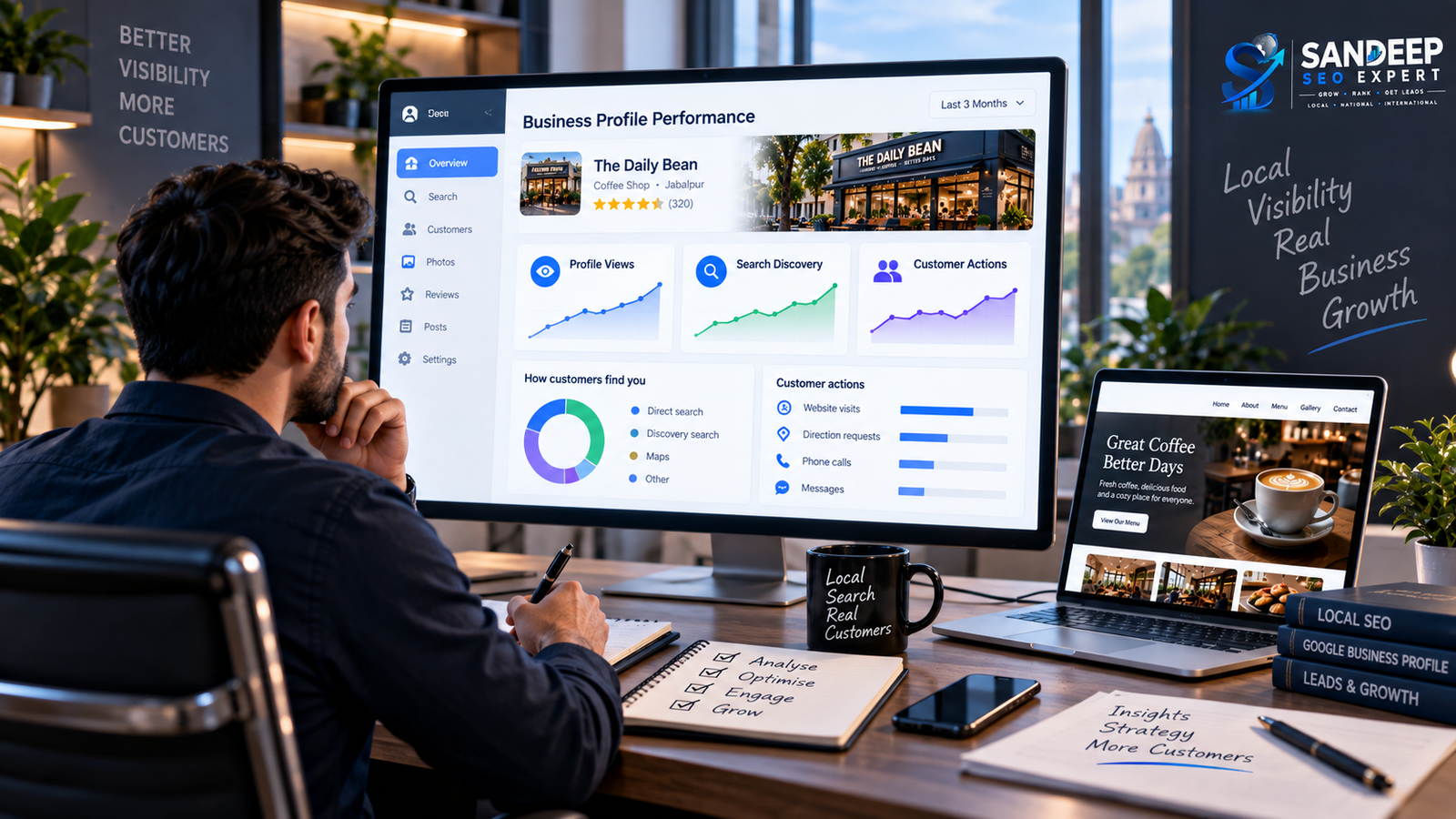
Optimization without measurement becomes guesswork.
Google's Business Profile Performance area provides information about how people discover and interact with the profile.
Depending on the business and available metrics, performance information can include:
Searches
Views
Website clicks
Customer interactions
Other profile actions
Google notes that available metrics vary by business and that performance data is available for verified Business Profiles.
Checklist
Track profile views.
Monitor search queries.
Review customer actions.
Compare periods over time.
Look for changes after major profile updates.
Compare profile activity with actual leads.
Use performance data to guide future optimization.
Your Google Business Profile Should Generate More Than Views
A profile can look complete and still fail to turn local searches into meaningful enquiries. Review your local visibility, profile setup and website journey together.
Explore Google Business Profile SEO →23. Track the Search Terms Customers Use
Business Profile performance can show search terms people used to find your business.
Google says the searches metric reflects the queries for which the Business Profile appeared, and businesses cannot directly manage those queries.
This can provide useful insight into how customers actually discover you.
Look for:
Service searches
Product searches
Brand searches
Location-based searches
Unexpected queries
High-intent searches
Don't try to force every discovered query into your Business Profile.
Use the information to understand customer search behavior and identify broader SEO opportunities.
24. Protect Your Business Profile Ownership
If an SEO agency, freelancer or marketing company manages your profile, the business owner should still retain ownership.
Google's third-party policies emphasize that business owners should understand what representatives are doing, retain ownership and be able to regain control of the profile.
Checklist
Business owner is an owner of the profile.
Agency has appropriate manager access.
No password sharing.
Former agencies no longer have unnecessary access.
Ownership can be transferred when required.
Business knows who has access.
This protects the business from becoming dependent on a third party for access to its own profile.
25. Avoid "Guaranteed Google Ranking" Claims
Be very careful with anyone promising:
Guaranteed #1 Maps ranking
Permanent top position
Guaranteed local pack placement
Secret Google relationship
Guaranteed reinstatement
Guaranteed ranking for every city
Payment for guaranteed Google placement
Google explicitly warns against false, misleading or unrealistic claims, including guarantees of top placement.
Google also states that businesses cannot pay for or request a better local ranking.
A professional Local SEO strategy should focus on improving the business's relevance, accuracy, prominence and overall customer experience, not selling guaranteed positions.
26. Don't Stuff Keywords Into Your Profile
One of the most common Local SEO mistakes is treating every field like a keyword field.
For example:
Bad approach:
Best SEO Expert in Jabalpur | Best SEO Company Jabalpur | SEO Services Jabalpur | Local SEO Expert Jabalpur
That is not how a legitimate business name should be represented.
Instead, keep:
Business name:
The actual real-world business name.
Then use legitimate profile fields such as:
Category
Services
Description
Website
Posts
to communicate what the business actually does.
27. Don't Create Fake Locations
If you don't have a legitimate location or service presence somewhere, don't create a profile simply to rank there.
Local SEO is about connecting businesses with customers in the areas they genuinely serve.
Fake locations can create policy and trust problems.
The better strategy is to build legitimate location relevance through genuine service areas, useful website pages and real business operations.
28. Don't Treat Reviews as a Ranking Shortcut
Reviews matter.
But the answer is not:
"Get 500 fake five-star reviews."
That can create serious reputation and policy problems.
A better review strategy is:
Good service → genuine customer experience → honest review request → thoughtful response → ongoing reputation management
Google explicitly requires reviews to reflect genuine experiences and prohibits incentivized review manipulation.
29. Don't Upload Random Stock Photos
Your profile should help potential customers understand the actual business.
For a clinic, show the clinic.
For a restaurant, show the restaurant and food.
For a construction company, show real projects and work.
For an agency, show the real team, office or legitimate business environment where appropriate.
Google's photo guidance emphasizes that photos should represent reality and be well lit and in focus.
Authenticity is more useful than decorative imagery.
30. Don't Ignore the Website
A Business Profile can help someone discover your business.
But many customers will still visit your website before contacting you.
Your website should therefore support the same message.
Check:
Services are clearly explained.
Location/service areas are clear where relevant.
Contact details are easy to find.
Website works on mobile.
Important pages are indexable.
Internal links make sense.
Calls to action are clear.
Website information matches GBP.
This is where Google Business Profile SEO and website SEO need to work together.
The Complete 2026 Google Business Profile Checklist
Use this as your final audit.
Eligibility & Ownership
Business is eligible
Profile is claimed
Profile is verified
Business owner retains ownership
Managers have appropriate access
Business Information
Real business name
Correct primary category
Relevant additional categories
Accurate address
Correct map pin
Accurate service area
Correct phone number
Correct website
Accurate regular hours
Accurate special hours
Useful business description
Services & Attributes
Important services added
Service descriptions are useful
Service categories are accurate
Relevant attributes completed
No keyword stuffing
No misleading information
Photos & Videos
Logo uploaded
Cover photo added
Exterior photos
Interior photos
Product/service photos
Team photos where appropriate
Real, high-quality visuals
Videos where useful
No excessive filters
No misleading images
Reviews
Genuine review process
Easy review request method
No paid/fake reviews
No incentives for reviews
Reviews answered professionally
Negative feedback handled appropriately
Content & Updates
Useful Business Profile posts
Current announcements
Relevant offers/events
Useful visual content
No spammy posting
Local SEO
Website supports local intent
Important service pages are strong
Genuine location relevance
Local business information is consistent
Relevant local authority signals
Local competitors reviewed
Monitoring
Profile Strength checked
Search queries reviewed
Profile views monitored
Customer actions monitored
Google-generated updates checked
Major business changes reflected
Access permissions reviewed
How Often Should You Optimize a Google Business Profile?
You don't need to completely rebuild your Business Profile every week.
Instead, use a maintenance approach.
Monthly
Review:
Profile information
Reviews
Photos
Performance
Search queries
Customer actions
New Google updates
When the business changes
Immediately review:
Hours
Services
Phone number
Website
Address
Service areas
Attributes
Business description
Seasonally
Review:
Special hours
Seasonal services
Offers
Events
Photos
Relevant posts
The objective is not constant editing.
It is accurate, useful and current information.
Does a Fully Optimized GBP Guarantee #1 Rankings?
No.
This is one of the most important things to understand about Local SEO.
Google says local results are mainly influenced by relevance, distance and prominence, and there is no way to pay for or request a better local ranking.
So even a perfectly completed Business Profile does not guarantee the top position.
Optimization improves the information Google and customers have about the business.
It does not give a business control over Google's ranking systems.
What Is the Most Important Part of Google Business Profile Optimization?
There is no single magic field.
A strong profile is the result of several things working together:
Accurate business information
Correct category
Relevant services
Real location/service area
Strong customer reputation
Authentic photos
Useful updates
Relevant website
Ongoing monitoring
Broader Local SEO
That is much more sustainable than trying to find one "secret" GBP ranking trick.
Final Thoughts
Google Business Profile optimization in 2026 is not about filling every available field with keywords.
It is about making your business accurately represented, locally relevant, trustworthy and useful to customers.
Start with eligibility and ownership.
Then fix the fundamentals:
Name → Category → Location → Service Area → Phone → Website → Hours → Description → Services → Attributes
Then strengthen the customer-facing parts:
Photos → Reviews → Responses → Posts → Website
Finally, monitor:
Searches → Views → Actions → Reviews → Changes → Leads
Google's own documentation supports this fundamentals-first approach: complete and accurate business information, genuine reviews, relevant photos, correct service details and ongoing profile management all contribute to a stronger local presence, while local ranking itself remains determined by Google's systems.
If you want to improve your local visibility beyond profile setup, the next step is to evaluate how your Google Business Profile, website and broader Local SEO strategy work together.
Ready to Improve Your Local Visibility?
Get your Google Business Profile and local search presence reviewed to identify the areas that need attention and improve your chances of attracting relevant local customers.
Contact Sandeep SEO Expert →FAQ
1. What is Google Business Profile optimization?
Google Business Profile optimization is the process of making a Business Profile accurate, complete, relevant and useful for customers while maintaining it according to Google's guidelines.
2. How do I optimize my Google Business Profile in 2026?
Start with eligibility, verification, business name, category, address or service area, phone, website, hours and description. Then optimize services, attributes, photos, reviews and posts, and monitor performance regularly.
3. Does Google Business Profile optimization improve Maps rankings?
It can help a business provide clearer and more relevant information to Google and customers, but it does not guarantee a specific Maps ranking. Google says local rankings are mainly based on relevance, distance and prominence.
4. How important is the primary category?
The primary category is important because it should accurately describe what the business is. Google recommends choosing a specific category that represents the main business rather than simply one of its services or features.
5. How many categories should a Google Business Profile have?
Use the primary category that best represents the business and add additional categories only when they genuinely describe the business. Google currently allows up to nine additional categories.
6. Should I add keywords to my Google Business Profile business name?
No. The business name should reflect the real-world name of the business. Adding city names or service keywords purely for SEO can conflict with Google's representation guidelines.
7. How many service areas can I add?
Google currently allows service-area businesses to specify up to 20 service areas using cities, postal codes or other defined areas. The areas should accurately represent where the business serves customers.
8. How often should I post on Google Business Profile?
There is no universal requirement to post every day. Use posts when you have useful updates, offers, events, announcements or other information that helps customers.
9. Are Google Business Profile reviews important?
Yes. Reviews help customers evaluate businesses, and Google states that review count and positive ratings can contribute to local ranking. Reviews must represent genuine customer experiences.
10. Can I pay customers to leave Google reviews?
No. Google prohibits incentives such as free or discounted products or services in exchange for reviews, changing reviews or removing negative reviews.
12. What photos should I add to my Google Business Profile?
Use authentic photos that help customers understand the business, such as exterior, interior, products, services and team images where appropriate. Google recommends photos that are well lit, in focus and representative of reality.
13. Can Google change my Business Profile information?
Yes. Google may update profile information using information from other sources, including user reports and licensed content. Businesses should monitor their profiles for unexpected changes.
14. How do I measure Google Business Profile performance?
For verified profiles, Google provides performance information such as searches, views and customer interactions, although the exact metrics available vary by business.
15. Does a complete Google Business Profile guarantee top ranking?
No. A complete profile is useful, but Google does not guarantee a particular local ranking. Local results are mainly based on relevance, distance and prominence.