
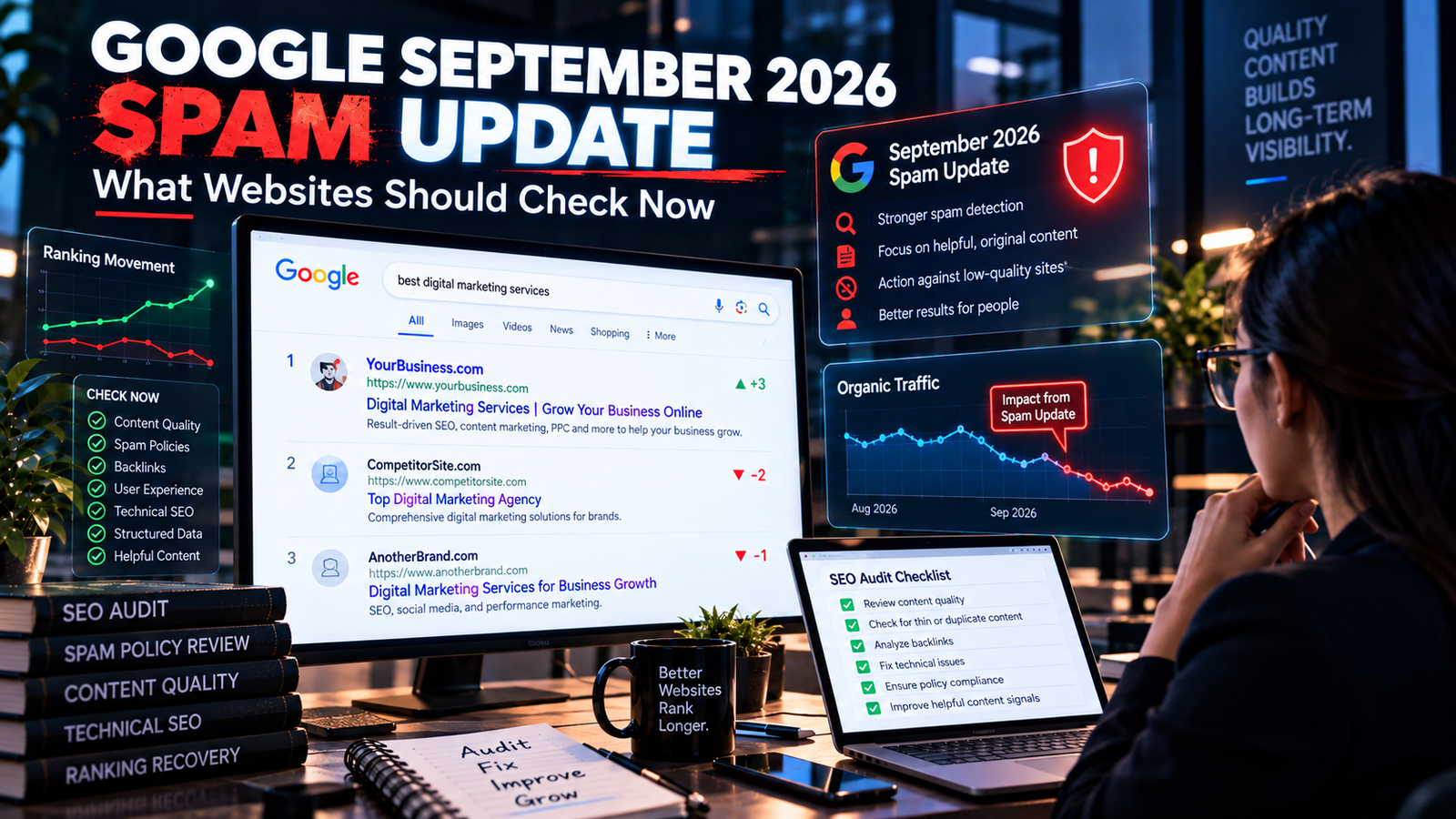
Google has started rolling out its September 2026 Spam Update, giving website owners another reason to look closely at how their websites are built, maintained and optimized for search.
The update began on September 24, 2026, and Google says the rollout applies globally and to all languages. Unlike some previous updates that finished within a few days, Google has said this rollout may take up to two weeks to complete. As of September 29, the update is still active.
There is an important detail that should not be overlooked.
Google has not announced a specific spam technique or category as the target of this September update.
That means it would be misleading to say that the update is specifically targeting AI content, affiliate websites, backlinks, location pages or any other single category unless Google provides that information.
What website owners can do instead is review their sites against Google's existing spam policies and watch Search Console data carefully while the rollout continues.
This is particularly important for websites that have recently added large amounts of content, created location pages, used aggressive link-building methods, published automatically generated pages or allowed third-party content to accumulate on the site.
The right response is not to panic.
It is to investigate.
Quick Answer: What Is the Google September 2026 Spam Update?
The September 2026 Spam Update is a confirmed Google Search ranking update focused on spam detection and enforcement.
According to Google's Search Status Dashboard:
The rollout started on September 24, 2026
It began at 9:15 AM PDT
It applies globally
It applies to all languages
Google says the rollout may take up to two weeks
The update is currently active
Google has not publicly identified a specific spam tactic as the target of this update
This is a spam update, not a broad core update.
That distinction matters.
A spam update is related to Google's systems for detecting and dealing with content or practices that violate its spam policies. A core update is broader and can change how Google evaluates and ranks content across many types of websites.
For the September update, website owners should therefore begin by asking:
Does my website contain anything that could conflict with Google's spam policies?
That is a much more useful question than trying to guess the exact algorithmic target.
Why This Update Matters Right Now
Google has already released several confirmed spam updates during 2026.
The Search Status Dashboard lists:
March 2026 Spam Update
June 2026 Spam Update
August 2026 Spam Update
September 2026 Spam Update
The September rollout is the fourth confirmed spam update of the year. Previous 2026 spam updates completed much faster, while Google has given the September rollout a window of up to two weeks.
That longer rollout window makes timing particularly important.
If your rankings change during the next several days, you should not immediately assume that the final impact of the update is already known.
Search results can fluctuate while an update is still rolling out.
A better approach is to monitor the website, compare meaningful date ranges and wait for the rollout to finish before making major conclusions.
What Google Has Actually Confirmed
There are three facts that website owners can state with confidence.
1. The update is real
This is not an unconfirmed SEO-community rumor.
Google has officially listed the September 2026 Spam Update on its Search Status Dashboard.
2. It is global
The update applies globally and across all languages.
That means it is not limited to a particular country, market or language.
3. Google has not disclosed a specific target
This is perhaps the most important point for responsible SEO reporting.
Google has not said:
“This update targets AI-generated content.”
“This update targets affiliate sites.”
“This update targets backlinks.”
“This update targets local pages.”
“This update targets programmatic SEO.”
Therefore, those statements should not be presented as confirmed facts.
What we can do is review the established spam policies that Google already uses to evaluate search content and identify areas that deserve an audit.
Spam Update vs Core Update: What Is the Difference?
The two are often discussed together, but they are not the same.
Spam Update
A spam update relates to Google's systems for detecting and addressing spam in Search.
It is concerned with practices that violate Google's spam policies.
Core Update
A core update is a broader change to Google's ranking systems.
A website can lose visibility during a core update even when it has not violated a spam policy. A change may reflect Google's evolving assessment of relevance, quality or usefulness.
That distinction is important because a ranking decline does not automatically mean:
“Google found spam on my website.”
A traffic decline should be investigated before assigning a cause.
Google's own Search Console troubleshooting documentation lists many possible reasons for drops in clicks, impressions and positions, including crawling issues, site changes, seasonal demand, manual actions and other factors.
The First Thing to Do: Don't React to One Day of Data
One of the easiest mistakes during an algorithm update is making decisions too quickly.
For example:
Monday:
Traffic drops 18%.
Tuesday:
Traffic drops another 12%.
Wednesday:
Traffic recovers partially.
If you immediately delete pages on Monday, you may be responding to temporary volatility rather than a stable change.
Google's September update can take up to two weeks to roll out.
During that period, monitor trends rather than individual daily movements.
Look at:
7-day trends
14-day trends
28-day comparisons
Page-level performance
Query-level changes
Country-level changes
Device-level changes
Search appearance changes
The objective is to determine whether the change is broad, isolated or temporary.
Step 1: Check Google Search Console
Search Console should be your first source of evidence.
Start with the Performance report.
Compare the period before the update with the period during the rollout.
Look at:
Clicks
Have organic clicks changed?
Impressions
Has Google shown your pages less frequently?
Average position
Are important queries moving?
CTR
Did impressions remain similar while clicks declined?
Pages
Which URLs are experiencing the largest changes?
Queries
Which search terms are losing visibility?
This helps distinguish a site-wide movement from a problem affecting a particular group of pages.
Look at Page-Level Patterns
Suppose overall traffic falls by 10%.
That number alone does not tell you much.
Now imagine you discover:
Homepage: stable
Service pages: stable
Blog pages: down 35%
Location pages: down 60%
Product pages: stable
That pattern gives you something to investigate.
Perhaps the problem is concentrated in a particular content type.
Perhaps those pages are too similar.
Perhaps they have outdated information.
Perhaps they contain aggressive optimization.
Perhaps demand changed.
The important point is that the data gives you a direction for investigation.
Step 2: Check Whether You Have a Manual Action
A spam update and a manual action are not the same thing.
Google's Manual Actions report shows whether a human reviewer has determined that a website or pages on the website violate Google's spam policies. Google explains that manual actions can cause some or all pages to rank lower or be omitted from Search.
Open:
Google Search Console → Security & Manual Actions → Manual Actions
If there is no manual action, that does not prove that the website is unaffected by an algorithmic update.
It simply means Google has not reported a manual action against the property.
If there is a manual action, follow the specific issue and affected-page information shown in Search Console.
Algorithmic Spam Update vs Manual Action
This distinction deserves emphasis.
Algorithmic spam update
The site's visibility can change because Google's automated systems have changed or reevaluated spam signals.
You may not receive a manual-action notification.
Manual action
A human reviewer has identified a policy violation and Google reports the issue in Search Console.
The remediation process is different.
Google's Manual Actions documentation explains that manual-action issues need to be fixed across the affected pages before requesting a review.
Therefore:
No manual action does not mean “Google has confirmed my site is clean.”
And:
A ranking decline does not automatically mean you received a manual action.
Step 3: Audit Your Content Against Google's Spam Policies
Google maintains a broad set of spam policies.
The September update does not need to announce a new target for these policies to remain relevant.
Your audit should include the following areas.
1. Scaled Content Abuse
One of the most important areas to review is scaled content abuse.
The issue is not simply whether AI was used.
The more important question is:
Was content produced at scale primarily to manipulate search rankings rather than to provide value to users?
A website can create problematic content using:
AI
Human writers
Templates
Spinning systems
Programmatic generation
A combination of methods
The production method alone does not determine whether content is spam.
The purpose, scale and quality matter.
What to check
Look for large groups of pages that:
Repeat the same structure
Contain minimal unique information
Change only a keyword or location
Provide little original value
Exist primarily to capture search queries
Were produced in bulk without meaningful editorial review
If you have hundreds of pages that essentially say the same thing, changing only the city name, service name or keyword, review them carefully.
2. Keyword Stuffing
Keyword optimization is normal SEO.
Keyword stuffing is different.
Google's spam policies prohibit excessive repetition of words or phrases intended to manipulate rankings.
Look at:
Page copy
Headings
Titles
Meta descriptions
Alt text
URLs
Footer content
Navigation
Hidden elements
If the same phrase appears unnaturally again and again, rewrite the content for people.
For example, this is not useful:
SEO Company in Jabalpur provides SEO services in Jabalpur for businesses looking for an SEO company in Jabalpur.
A natural page would explain:
What the service includes
Which businesses it suits
What problems it solves
How the process works
What results are measured
The topic becomes clear without repetition.
3. Doorway Pages
Doorway pages are another area worth checking, especially for businesses targeting multiple locations.
A common pattern looks like:
SEO Expert in Jabalpur
SEO Expert in Indore
SEO Expert in Bhopal
SEO Expert in Gwalior
SEO Expert in Rewa
If every page contains essentially the same content with only the city name changed, the website may not be providing meaningful local value.
That does not mean city pages are automatically spam.
A legitimate location page can be useful when it contains genuine information about:
The location
Local customer needs
Services relevant to that market
Local examples
Business context
Genuine service availability
Meaningful differences in the market
The problem is not the existence of location pages.
The problem is creating pages primarily to capture searches without providing substantially useful information.
4. Link Spam
Links remain an important area of Google's spam policies.
Do not assume that a large backlink count means stronger SEO.
Review your link-building practices.
Potential problems include:
Buying links to manipulate rankings
Excessive link exchanges
Automated link creation
Large-scale guest-post campaigns created primarily for ranking
Low-quality directory links
Manipulative anchor text
Links embedded in unrelated content
If your SEO strategy depends heavily on artificial link acquisition, it deserves a serious review.
Google's Search Console documentation also identifies unnatural links as a policy issue and explains that buying or participating in link schemes to manipulate rankings can result in manual action.
5. Hidden Text and Hidden Links
Review your website for content that search engines can see but users cannot meaningfully see.
Examples include:
Text hidden through CSS
Text matching the background
Off-screen keyword blocks
Hidden links
Excessive hidden elements
Also review old SEO implementations.
A website may contain techniques added years ago that nobody on the current team remembers.
6. Cloaking
Cloaking happens when different content is shown to search engines and users.
This can be intentional or sometimes caused by technical problems.
Check whether:
Googlebot receives different content
Users are redirected differently
Mobile visitors are sent elsewhere
Search visitors see different pages
JavaScript changes the destination
Security systems interfere with crawlers
Google's manual-action documentation specifically recommends using URL Inspection to compare what Google sees with what users see when investigating cloaking or sneaky redirects.
7. Sneaky Redirects
A page should take users where the search result suggests it will take them.
Be careful with redirects that:
Send visitors to unrelated pages
Work differently for mobile users
Trigger only for search visitors
Depend on referral source
Use JavaScript to redirect users unexpectedly
Also review old redirects after migrations.
Not every redirect is spam.
A normal 301 redirect used for a legitimate URL change is completely different from a deceptive redirect.
8. Third-Party Spam
This is particularly important for websites that allow users or external parties to publish content.
Examples include:
Forums
Comment sections
User profiles
Guestbooks
Free hosting areas
File upload systems
Internal search pages
Public submission systems
Google's Manual Actions documentation specifically lists “site abused with third-party spam” and recommends actively monitoring areas where users or third parties can add content.
A legitimate website can sometimes become a host for spam without the owner intentionally creating it.
That is why regular monitoring matters.
Step 4: Audit Your AI-Generated Content
This deserves special attention in 2026.
But be careful with the wording.
Google has not said that the September 2026 Spam Update is specifically targeting AI-generated content.
So don't make that claim.
Instead, ask whether your website contains content that may fall under existing spam policies.
For example:
Risky pattern
You generate 500 city pages.
Each page has:
Same introduction
Same headings
Same service descriptions
Same FAQs
Same conclusion
Only the city name changes.
That is a quality and doorway-page concern regardless of whether AI wrote the pages.
Stronger pattern
Each location page contains:
Genuine local context
Relevant services
Location-specific customer needs
Local examples
Unique FAQs
Meaningful market differences
Original information
The difference is not “AI versus human.”
The difference is value versus duplication.
Step 5: Review Your Location Pages
This is especially relevant to businesses using Local SEO.
Ask:
Does every location page have a real purpose?
If a business genuinely serves the location, explain how.
Is the content substantially useful?
Do not simply replace one city name with another.
Does the page contain local information?
Use information that is actually relevant to the location.
Is the service genuinely available there?
Do not create fake location pages simply to rank nationally.
Does the page help the customer?
If the answer is no, reconsider whether the page needs to exist.
A strong local SEO strategy is not about creating as many city pages as possible.
It is about creating useful location information where there is genuine business relevance.
Step 6: Review Your Affiliate Pages
Affiliate content is not automatically spam.
The problem occurs when a page adds little value beyond what already exists elsewhere.
A useful affiliate page can add:
Original testing
Personal experience
Detailed comparisons
Product photography
Pros and limitations
Use-case analysis
Original measurements
Expert commentary
Clear buying guidance
A thin page that simply copies merchant information and adds affiliate links provides much less value.
So if your website relies on affiliate revenue, review your commercially important pages rather than assuming the update targets affiliate sites.
Step 7: Check Expired-Domain Content
If your website was built on an acquired or previously used domain, review its history.
Ask:
What was the domain used for previously?
Were old pages redirected?
Was the site completely rebuilt?
Are there unrelated legacy URLs?
Are there old backlinks from irrelevant industries?
Are there pages inherited from the previous owner?
Do not assume that every historical backlink is harmful.
The purpose of the review is to understand whether the current site contains inherited problems or irrelevant content.
Step 8: Review Your Structured Data
Structured data can help Google understand eligible content, but it should accurately represent what is visible on the page.
Review:
Schema accuracy
Organization information
Product information
Review markup
Local business data
Article data
Breadcrumbs
Avoid adding markup for content that does not actually exist on the page.
Google's Manual Actions documentation specifically identifies misleading or irrelevant structured data as a possible manual-action issue.
Step 9: Check Your Website for Hacked or Injected Spam
Not every spam problem is created by the SEO team.
A hacked website can suddenly contain:
Gambling pages
Pharmaceutical pages
Adult content
Unrelated commercial links
Auto-generated pages
Strange foreign-language content
Hidden links
Redirects
Check your website regularly.
Search Google using:
site:yourdomain.com
Then combine the site search with unusual keywords that have nothing to do with your business.
For example, if you run a medical website and suddenly find gambling or pharmaceutical pages indexed under your domain, investigate immediately.
Google's manual-action guidance recommends this type of site search for identifying unexpected third-party spam.
What If Your Traffic Dropped After September 24?
Don't immediately blame the spam update.
Use a structured diagnosis.
First: Confirm the timing
Did the decline actually begin after September 24?
Second: Check Search Console
Look at:
Clicks
Impressions
Average position
CTR
Queries
Pages
Third: Check the affected pages
Are the losses concentrated in:
Blog pages?
Location pages?
Product pages?
Service pages?
One directory?
One content template?
Fourth: Check manual actions
Make sure no manual action has appeared.
Fifth: Check technical issues
Look for:
Noindex
Robots.txt changes
Server errors
Canonical problems
Redirects
Sitemap issues
Deployment changes
Sixth: Check demand
Search behavior changes.
Seasonality can affect traffic.
Google's own troubleshooting guide lists seasonal changes as one possible reason for search traffic fluctuations.
Seventh: Wait for the rollout
If the update is still active, don't treat temporary movement as a final outcome.
What You Should Not Do During the Update
A spam update often creates anxiety.
That can lead to bad SEO decisions.
Avoid:
Deleting hundreds of pages immediately
A ranking drop does not automatically mean pages should be deleted.
Changing every title
If the problem is unrelated to titles, mass title changes can make diagnosis harder.
Removing all backlinks
Not every backlink is harmful.
Review actual link practices before taking action.
Rewriting every article
If content is performing normally, there is no reason to rewrite it simply because an update is running.
Creating more pages to compensate
Publishing more content does not automatically solve a spam-related problem.
Buying new backlinks
Trying to recover a ranking decline through aggressive link acquisition can create additional risk.
Changing everything at once
If you change content, links, technical settings, URLs and internal linking simultaneously, it becomes difficult to understand what actually affected performance.
What You Should Do During the Update
Instead, use the rollout period for diagnosis.
Monitor
Track important pages and queries.
Audit
Review spam-policy risk areas.
Document
Record major changes and dates.
Investigate
Look for patterns rather than isolated drops.
Fix confirmed issues
If you find a genuine policy problem, address it.
Avoid unnecessary changes
Don't “optimize” healthy pages just because Google has released an update.
This is a much safer workflow.
A Practical September 2026 Spam Update Audit
If you want a simple workflow, use this sequence.
1. Record your baseline
Export your important:
Queries
Pages
Clicks
Impressions
CTR
Average positions
Use data from before the update for comparison.
2. Mark the update date
Use September 24 as the confirmed start date.
3. Monitor daily, analyze weekly
Daily monitoring can identify movement.
Weekly analysis is generally more useful for understanding patterns.
4. Segment your pages
Group pages into:
Services
Products
Blogs
Locations
Categories
Guides
5. Identify unusual losses
Find page groups that are declining disproportionately.
6. Audit those groups
Look for:
Thin content
Duplicate content
Keyword stuffing
Doorway patterns
Scaled content
Manipulative links
Hidden content
Redirect problems
Third-party spam
7. Check Search Console
Review:
Manual Actions
Security Issues
Indexing
Performance
URL Inspection where necessary
Google recommends checking Manual Actions and Security Issues when investigating major search visibility problems.
8. Fix actual problems
Prioritize confirmed issues.
9. Document the changes
Keep a record of:
Date
URL
Problem
Fix
Expected effect
10. Reassess after the rollout
Once the September update finishes, compare the post-update period against the appropriate pre-update baseline.
This gives you a much more reliable picture.
What About Websites That Have No Spam Problems?
They should not make unnecessary changes.
This is an important point.
A spam update does not mean every website needs a major SEO overhaul.
If your website:
Has original content
Provides genuine value
Uses natural optimization
Has clean technical foundations
Does not manipulate links
Does not create doorway pages
Does not use deceptive redirects
Maintains accurate information
then the appropriate action may simply be to monitor performance.
Not every ranking fluctuation requires intervention.
What About AI Content?
AI-assisted content deserves a nuanced answer.
There is no basis for saying:
“Google's September 2026 Spam Update penalizes all AI content.”
Google has not announced that.
The more useful question is whether the content follows Google's existing quality and spam expectations.
For example:
Lower-value approach
Generate thousands of pages with minimal human review and little unique information.
Higher-value approach
Use AI as part of research or drafting, then add:
Original analysis
First-hand experience
Verification
Examples
Industry knowledge
Expert review
Useful supporting information
The distinction is meaningful.
A website should not use AI as a reason to produce more pages than it can responsibly maintain.
What About Programmatic SEO?
Programmatic SEO is not automatically spam.
It can be useful when pages are generated from real, structured information.
For example:
An e-commerce website may legitimately generate product pages from a large catalog.
A travel website may have thousands of genuinely different destinations.
A property platform may have many legitimate listings.
The risk increases when programmatic pages exist primarily to capture search queries without providing unique value.
Ask:
Would this page still be useful if Google Search did not exist?
That is not a perfect test, but it is a useful editorial question.
What About City Pages?
This deserves special attention for local SEO agencies.
City pages can be legitimate.
A business serving:
Jabalpur
Rewa
Indore
Bhopal
may genuinely need location-specific pages.
But every page should have a reason to exist.
A useful city page can discuss:
Services available in that city
Local business context
Relevant customer needs
Local service areas
Genuine examples
Location-specific FAQs
Real differences in service delivery
What should be avoided is simply duplicating the same article and replacing the city name.
That creates little additional value for users.
What About Link Building?
Don't interpret a spam update as:
“All backlinks are bad.”
Google's spam policies distinguish natural links from manipulative link practices.
A legitimate editorial link from a relevant website is fundamentally different from buying hundreds of links solely to manipulate rankings.
If your backlink profile contains questionable patterns, review them carefully.
Look at:
Link source
Relevance
Anchor text
Placement
Acquisition method
Scale
Relationship with the website
Don't remove legitimate links simply because they look unfamiliar.
What About Third-Party Content?
If your website publishes content from external contributors, audit it.
This is especially important for:
Large publishers
Forums
Marketplaces
User-generated websites
Multi-author blogs
Guest-post platforms
Check whether contributors are publishing:
Unrelated promotional content
Keyword-stuffed articles
Artificial links
Automatically generated pages
Thin guest posts
Low-quality affiliate content
Google's documentation makes clear that third-party spam can affect parts of a website even when the site owner did not personally create that spam.
Did Your Rankings Drop During the September Spam Update?
Before changing content or building new links, identify whether the problem is technical, content-related, policy-related or simply part of normal search volatility. A structured SEO audit can help separate the signals.
Get Your SEO Audit →How Long Should You Wait Before Making Conclusions?
Google says the September 2026 Spam Update may take up to two weeks to complete.
Therefore, the most reliable comparison should be made after the rollout is complete.
That does not mean you should ignore serious technical or spam-policy problems until then.
If you discover a genuine issue, fix it.
But don't make large strategic decisions based solely on a few days of volatility.
What Happens After the Spam Update Finishes?
Once Google confirms the rollout is complete, review the data again.
Compare:
Pre-update period
vs.
During rollout
vs.
Post-update period
Look for persistent patterns.
For example:
Pattern A
Traffic dropped during the rollout but recovered afterward.
This may indicate temporary volatility.
Pattern B
Traffic dropped and remained lower after the rollout.
Investigate the affected pages and queries more deeply.
Pattern C
Only one content type declined.
Audit that content type.
Pattern D
Only a few pages declined.
Investigate those pages individually.
Pattern E
Impressions stayed stable but CTR fell.
The problem may involve search-result presentation, query mix or competition rather than a spam issue.
The data should determine the next step.
Search Console Data Is More Important Than SEO Rumors
During major Google updates, SEO communities often publish theories very quickly.
Some theories may eventually prove useful.
Others may not.
Your own Search Console data is more directly relevant to your website.
Use external discussion to identify hypotheses.
Then test those hypotheses against your own data.
For example:
Theory: location pages are being affected.
Check:
Did location pages decline?
Did service pages decline too?
Did the decline occur across all locations?
Were the affected pages substantially similar?
Did impressions decline?
Did average position change?
That is much more useful than simply reading:
“Google is targeting city pages.”
A September 2026 Spam Update Checklist for Website Owners
Search Console
Check Performance
Compare clicks
Compare impressions
Review average position
Review CTR
Check affected pages
Check affected queries
Review Manual Actions
Review Security Issues
Technical SEO
Check robots.txt
Check indexing
Check canonicals
Check redirects
Check sitemap
Check server errors
Check unexpected URLs
Check hacked pages
Content
Review thin pages
Review duplicate pages
Review outdated pages
Review scaled content
Review AI-assisted content
Review affiliate content
Review location pages
Review programmatic pages
Spam practices
Check keyword stuffing
Check hidden text
Check hidden links
Check cloaking
Check sneaky redirects
Check manipulative links
Check doorway pages
Check third-party spam
Check misleading structured data
Business websites
Verify service pages
Verify location pages
Verify business information
Verify Local SEO signals
Verify Google Business Profile
Verify commercial content
Final Thoughts
Google's September 2026 Spam Update is a confirmed global ranking update, and it is still rolling out.
The official information currently available is deliberately limited: Google has confirmed the update, its global scope, all-language coverage and rollout window, but it has not identified a specific spam tactic as its target.
That means website owners should resist the temptation to turn early ranking changes into definitive conclusions.
Instead, use the rollout as an opportunity to review the fundamentals.
Is the website publishing genuinely useful information?
Are large groups of pages substantially different and useful?
Are location pages providing real local value?
Are links being acquired naturally?
Is there any keyword stuffing?
Are there hidden elements?
Are users being redirected somewhere unexpected?
Has third-party spam appeared?
Has automatically generated content been published at a scale the business cannot properly review?
Are structured-data implementations accurate?
These questions are more valuable than trying to guess which single tactic Google may have changed.
And if your website's traffic has changed during the rollout, investigate the pattern before changing the strategy.
Search Console can tell you which pages and queries moved.
A technical audit can reveal accessibility or indexing problems.
A content audit can identify duplication, thin content or weak information.
A spam-policy review can identify practices that create genuine risk.
The September Spam Update should therefore be treated as a reason to inspect the website carefully, not react blindly.
The strongest long-term SEO strategy is still built around a website that gives users useful information, avoids manipulative practices, maintains clean technical foundations and provides a reason for people to trust and use the site.
Build an SEO Strategy That Can Adapt to Google Updates
Google updates can expose weaknesses in technical SEO, content quality and search strategy. A sustainable approach focuses on the actual website, its users and the quality of the search experience rather than short-term algorithm tricks.
Explore SEO Services →Frequently Asked Questions
1. What is the Google September 2026 Spam Update?
The September 2026 Spam Update is a confirmed Google Search ranking update focused on spam. Google began rolling it out on September 24, 2026, globally and across all languages. Google says the rollout may take up to two weeks.
2. Is the September 2026 Spam Update still rolling out?
Yes. As of September 29, 2026, Google's Search Status Dashboard still lists the September 2026 Spam Update as active.
3. What does the September 2026 Spam Update target?
Google has not publicly identified a specific spam technique or category as the target of this update. Website owners should therefore avoid treating claims about a specific target as confirmed information.
4. Is the September 2026 Spam Update the same as a core update?
No. It is a spam update. Google lists spam updates and core updates separately in its Search ranking history.
5. Is Google targeting AI-generated content with this update?
Google has not announced that the September 2026 Spam Update specifically targets AI-generated content. Website owners should instead evaluate AI-assisted or automatically generated content against Google's existing spam and quality policies.
6. Can AI-generated content be considered spam?
The use of AI alone does not establish that a page is spam. The more important issue is whether content is created at scale primarily to manipulate search rankings, lacks meaningful value, or violates Google's policies.
7. Are location pages affected by the September 2026 Spam Update?
Google has not announced location pages as a specific target of this update. However, businesses should review location pages for duplication, thin content and doorway-like patterns. Genuine location pages should provide useful information for the locations they serve.
8. Can a ranking drop during this update mean my site received a penalty?
Not necessarily. Ranking changes can have multiple causes, and an algorithmic spam update is different from a manual action. Check Search Console data and the Manual Actions report before drawing conclusions.
9. How can I check whether Google gave my website a manual action?
Open Google Search Console and check the Manual Actions report. If Google has issued a manual action, the report provides information about the issue and affected pages.
10. What should I check first if my rankings dropped?
Start with Google Search Console. Compare clicks, impressions, average position, CTR, queries and pages. Then check Manual Actions, Security Issues, indexing and technical changes.
11. Should I delete pages during the September Spam Update?
Not automatically. First determine whether the pages actually have a quality or spam-policy problem. Deleting pages simply because rankings declined can make diagnosis more difficult.
12. Should I build more backlinks to recover from a spam update?
Do not respond to a ranking decline by automatically increasing link acquisition. Review the quality and acquisition methods of your existing links first, especially if your SEO strategy has involved paid or manipulative link practices.
13. What is scaled content abuse?
Scaled content abuse involves producing many pages primarily to manipulate search rankings rather than to help users. The content can be generated using automation, AI, humans or a combination of methods.
14. How should I monitor the September 2026 Spam Update?
Track important queries and pages in Search Console, monitor organic traffic, review technical health and compare performance before, during and after the rollout. Avoid drawing final conclusions while the update is still active.
15. When should I evaluate the final impact of the update?
Google says the September 2026 Spam Update may take up to two weeks to complete. A more reliable assessment should be made after Google confirms the rollout is complete and enough post-update data is available.